
Pixpay is a challenger bank for teens focused on pocket money

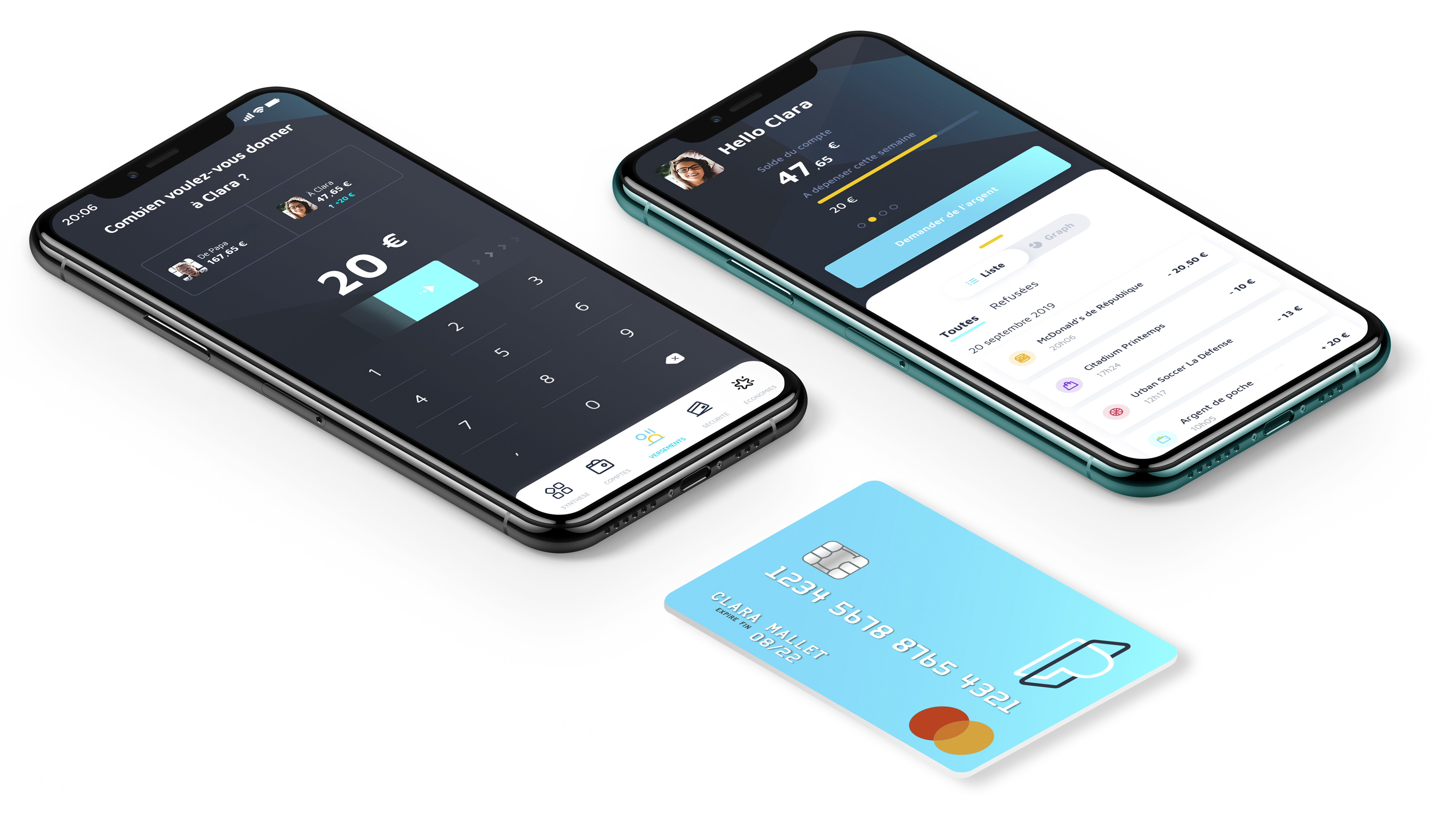
Meet Pixpay, a French startup that wants to replace cash when you’re handing out pocket money to your kids. Anybody who is older than 10 years old can create a Pixpay account, get a debit card and manage pocket money.

Challenger banks are nothing new, but they’re still mostly targeted towards adults. If you want to create an N26 or Revolut account, you need to be at least 18 years old. You can create a Lydia account if you’re at least 14 years old with parental consent.

Pixpay, like Kard, wants to fill that gap and offer modern payment methods to teens so that you can ditch cash altogether. Parents and kids both download the Pixpay app to interact with the service.

A few days after creating an account, your child receives a Mastercard. It offers the same features that you’d expect from a challenger bank — you can customize the PIN code, lock it and unlock it, receive a notification with each transaction and restrict some features, such as limits, ATM withdrawals, online payments and payments abroad. Pixpay also lets you generate virtual cards for online payments.

In addition to some spending analytics, users can create projects and set money aside to buy an expensive thing after months of savings. Parents can also define an interest rate on a vault account to teach children how to save money. In the future, Pixpay wants to let teens collect money after a babysitting job for instance.

As for parents, they can send money instantly from the Pixpay app. You can top up your Pixpay account with your favorite debit card and send money on a regular basis (€4 per week for instance) or for one-off payment (here’s €15 for your movie ticket and fast food).

Parents can see an overview of multiple accounts in case you have multiple children using Pixpay. Eventually, the startup wants to let multiple parents manage the account of their child, which could be useful for separated couples.

Pixpay costs €2.99 per month per card. Payments and ATM withdrawals in the Eurozone are free. Transactions in foreign currencies cost 2% in foreign exchange and ATM withdrawals outside of the Eurozone cost €2.

The startup has raised $3.4 million (€3.1 million) from Global Founders Capital. The company partners with Treezor, a banking-as-a-service platform that lets you generate cards and e-wallet accounts using an API.


from TechCrunch https://ift.tt/2OtXGBP

Comments

Popular posts from this blog

Bill Gates steps down from Microsoft’s board to focus on philanthropy

In an announcement on Friday, Microsoft revealed that company co-founder Bill Gates has decided to step down from his role on its Board of Directors in order to focus on his philanthropic efforts at the Bill & Melinda Gates Foundation. This is Gate’s biggest change to his role at Microsoft since stepping down as company chairman in February 2014. According … Continue reading from SlashGear https://ift.tt/2We90Gu

How To Play Doom – And More – On An NES

Doom was a breakthrough game for its time, and became so popular that now it’s essentially the “Banana For Scale” of hardware hacking. Doom has been ported to countless devices, most of which have enough processing ability to run the game natively. Recently, this lineup of Doom-compatible devices expanded to include the NES even though the system definitely doesn’t have enough capability to run it without special help. And if you want your own Doom NES cartridge, this video will show you how to build it . We featured the original build from [TheRasteri] a while back which goes into details about how it’s possible to run such a resource-intensive game on a comparatively weak system. You just have to enter the cheat code “RASPI”. After all the heavy lifting is done, it’s time to put it into a realistic-looking cartridge. To get everything to fit in the donor cartridge, first the ICs in the cartridge were removed (except the lockout IC) and replaced with custom ROM chips. Some modifica...

A Mini USB Keyboard That Isn’t A Keyboard

A useful add-on for any computer is a plug-in macro keyboard, a little peripheral that adds those extra useful buttons to automate tasks. [ Sayantan Pal] has made one, a handy board with nine programmable keys and a USB connector, but the surprise is that at its heart lies only the ubiquitous ATmega328 that you might find in an Arduino Uno. This isn’t a USB HID keyboard, instead it uses a USB-to-serial chip and appears to the host computer as a serial device. The keys themselves are simple momentary action switches, perhaps a deluxe version could use key switches from the likes of Cherry or similar. The clever part of this build comes on the host computer, which runs some Python code using the PyAutoGui library. This allows control of the keyboard and mouse, and provides an “in” for the script to link serial and input devices. Full configurability is assured through the Python code, and while that might preclude a non-technical user from gaining its full benefit it’s fair to say that ...