
Bunq launches metal card and plants a tree for every €100 spent

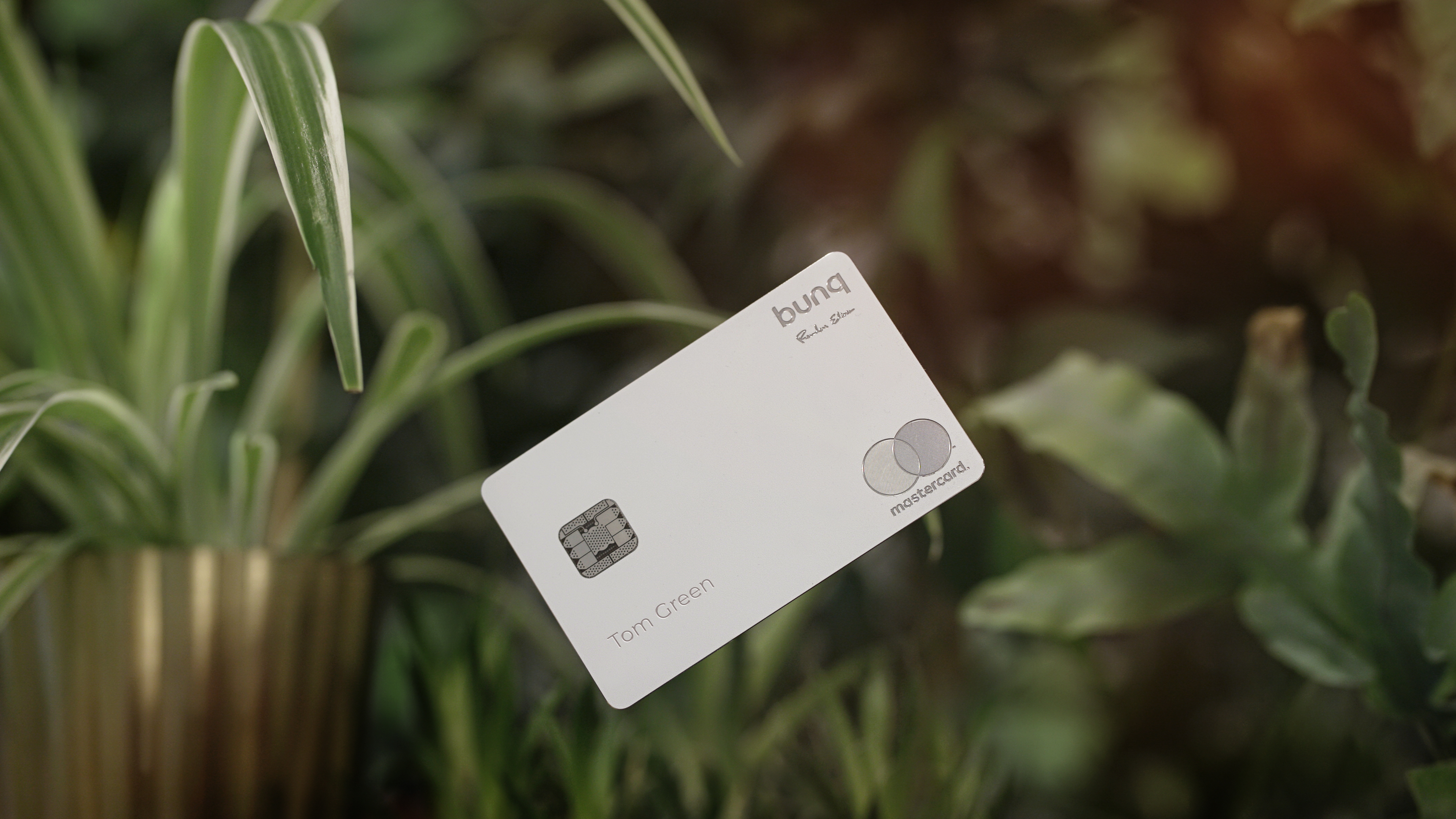
Fintech startup Bunq is launching a metal card called the Green Card. While some banks offer a cashback program with premium cards, Bunq is offering a special kind of “cashback”. For every €100 spent, Bunq plants a tree. The company has partnered with Eden Reforestation Projects to finance reforestation around the globe.

Manufacturing a metal card isn’t particularly environmentally friendly. That’s why the Green Card expires after six years instead of four years. It is also made of recyclable material (even though I’m not sure it’s that easy to recycle a metal card with a chip, a magnetic stripe and an NFC antenna after it expires).

Other than that, the Green Card works more or less like the Travel Card. While Bunq offers traditional bank accounts, you can order a Travel Card or a Green Card and keep your existing bank.

The Green Card is a Mastercard without any foreign exchange fee. The company uses the standard Mastercard exchange rate but doesn’t add any markup fee.

While the Green Card is a credit card, it doesn’t work like normal credit cards. You don’t get a direct debit on your bank account. Instead, you have to open the Bunq app and top up your Bunq account — topping up your account with another card may incur some fees, more details here. If you don’t have enough money on your account, the transaction gets rejected like a debit card.

The Travel Card costs €9.99 to order the card. There’s no monthly fee after that. The Green Card costs €99 per year. Bunq charges €0.99 per ATM withdrawal but you get 10 free withdrawals with the Green Card.

The company is selling a limited edition today with “Founders Edition” engraved in the top right corner but the first batch is nearly sold out:


from TechCrunch https://ift.tt/2L004Oy

Comments

Popular posts from this blog

Bill Gates steps down from Microsoft’s board to focus on philanthropy

In an announcement on Friday, Microsoft revealed that company co-founder Bill Gates has decided to step down from his role on its Board of Directors in order to focus on his philanthropic efforts at the Bill & Melinda Gates Foundation. This is Gate’s biggest change to his role at Microsoft since stepping down as company chairman in February 2014. According … Continue reading from SlashGear https://ift.tt/2We90Gu

How To Play Doom – And More – On An NES

Doom was a breakthrough game for its time, and became so popular that now it’s essentially the “Banana For Scale” of hardware hacking. Doom has been ported to countless devices, most of which have enough processing ability to run the game natively. Recently, this lineup of Doom-compatible devices expanded to include the NES even though the system definitely doesn’t have enough capability to run it without special help. And if you want your own Doom NES cartridge, this video will show you how to build it . We featured the original build from [TheRasteri] a while back which goes into details about how it’s possible to run such a resource-intensive game on a comparatively weak system. You just have to enter the cheat code “RASPI”. After all the heavy lifting is done, it’s time to put it into a realistic-looking cartridge. To get everything to fit in the donor cartridge, first the ICs in the cartridge were removed (except the lockout IC) and replaced with custom ROM chips. Some modifica...

A Mini USB Keyboard That Isn’t A Keyboard

A useful add-on for any computer is a plug-in macro keyboard, a little peripheral that adds those extra useful buttons to automate tasks. [ Sayantan Pal] has made one, a handy board with nine programmable keys and a USB connector, but the surprise is that at its heart lies only the ubiquitous ATmega328 that you might find in an Arduino Uno. This isn’t a USB HID keyboard, instead it uses a USB-to-serial chip and appears to the host computer as a serial device. The keys themselves are simple momentary action switches, perhaps a deluxe version could use key switches from the likes of Cherry or similar. The clever part of this build comes on the host computer, which runs some Python code using the PyAutoGui library. This allows control of the keyboard and mouse, and provides an “in” for the script to link serial and input devices. Full configurability is assured through the Python code, and while that might preclude a non-technical user from gaining its full benefit it’s fair to say that ...